What Is CinLink, and What Can It Do?
Meet CinLink, a local-first AI media workspace for editing, subtitles, translation, dubbing, and more. Describe your goal, then refine the result on the timeline.
If you asked me what I least want to spend my time on when making a video, what would I say?
I don't think it would be agonizing over the opening shot, or listening to a line over and over to decide whether it needs half a second of silence. Those decisions can be frustrating, but they are part of the creative process. I'm happy to spend time on them.
The work I'd rather spend less time on is something else:
- Remembering a great line a guest said while recording a podcast, but having no idea which file it is in or at what timestamp.
- Needing subtitles for a video and going through transcription, proofreading, and timing adjustments all over again.
- Finishing a long video, then having to repeat a similar process to make a few vertical versions.
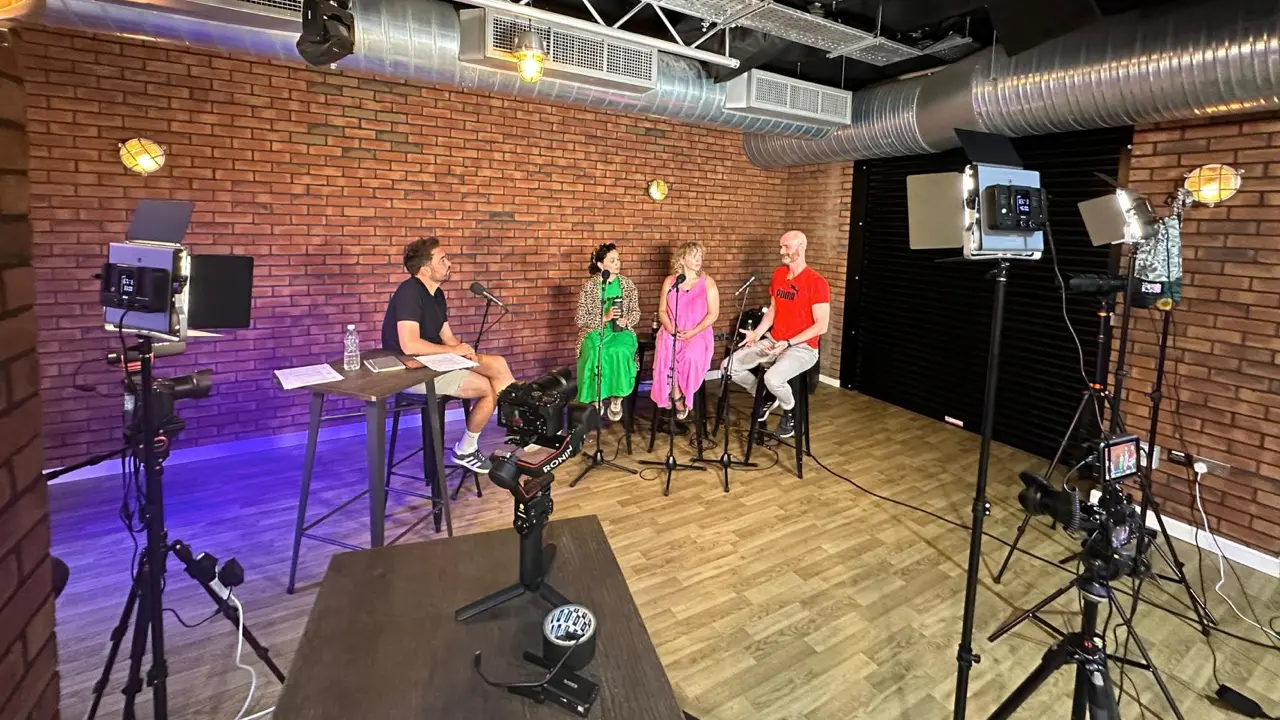
Someone has to do that work, of course. But when it takes up most of my time, I start to wonder: we came here to express something. How did we end up spending all our time operating software?
That's what I want to change with CinLink.
I want to start by saying what I need
Moving between the worlds of AI products and video creation, I keep noticing a gap.
When talking to AI, we've become used to describing our goals directly. But once we're back in video software, we still have to translate so many of our intentions into individual operations: find the footage, mark in and out points, cut clips, add subtitles, adjust the aspect ratio, export.
What I actually want might be as simple as this:
Find the discussion about product design in this interview. Turn it into three clips that work on their own, each around 45 seconds long, and add subtitles.
But to make that happen, I have to act as my own assistant first: break the task down, then carry out each step myself.
Today's latest AI models are generally very good at understanding what people mean. So I wanted to see whether AI could take on more of the work between stating an intention and getting a result.
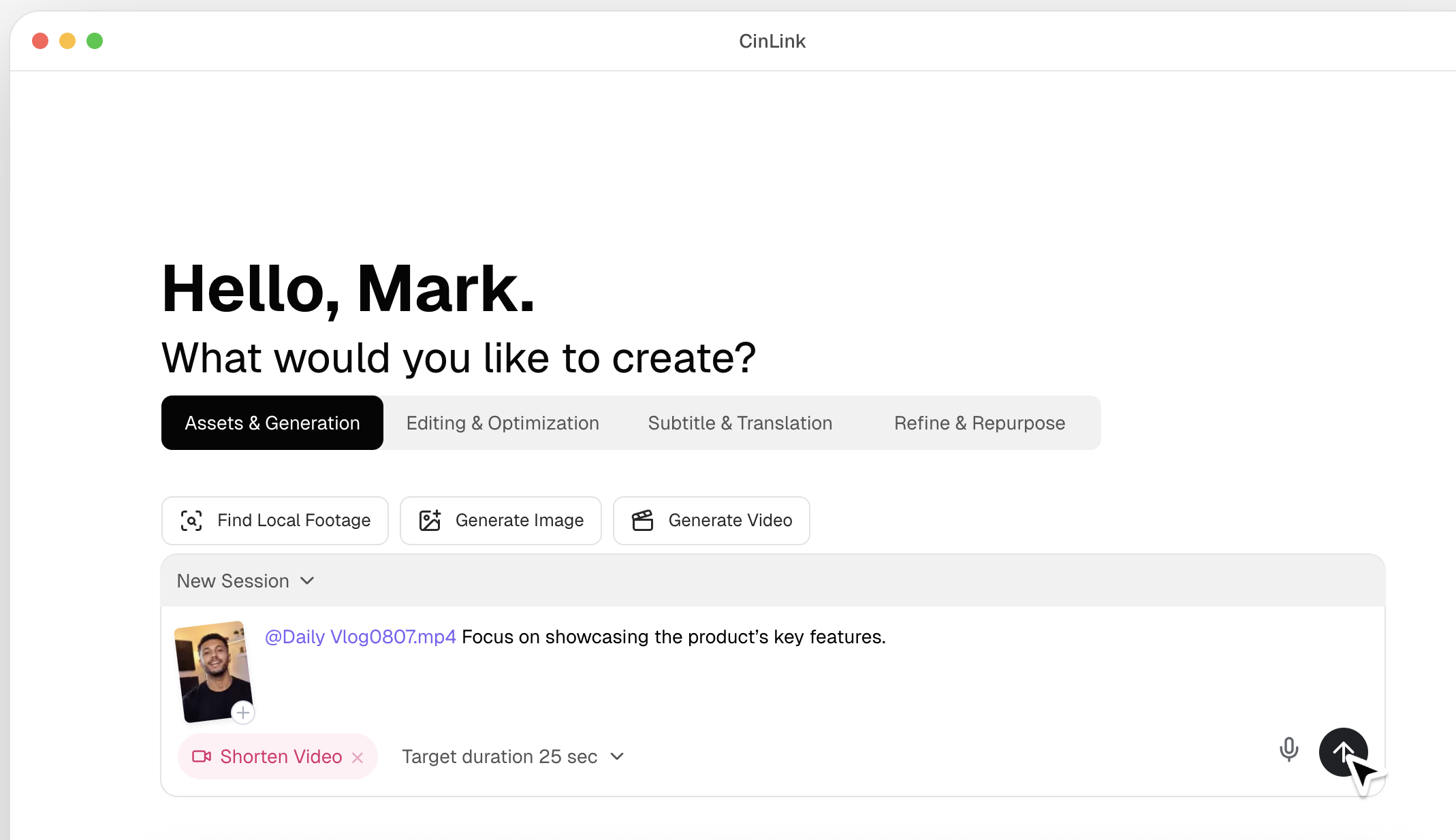
That's CinLink: an AI media workspace built around local footage. You describe what you want to accomplish, and it understands the material, calls on the capabilities it needs, and works with you to produce the result.
From the beginning, we had an ultimate goal in mind:
Have AI make the finished video for me.
After several months of iteration, we've found that there is still a gap between where we are and that goal. But it no longer feels out of reach.
Before it can follow instructions, it needs to understand the footage
One thing I want from video AI is an understanding of the material I'm working with.
Suppose I say, “Find the answer in this interview that would make the best opening.”
You can't figure that out from timecodes alone. You need to know what the speaker is talking about, which lines need context, and which might sound compelling but change meaning when taken out of the conversation.
The same goes for the visuals.
Sometimes the shot I need isn't described in the filename or mentioned in the dialogue. It might be an action, an object, or a particular scene. If you only read the subtitles, it's easy to miss.
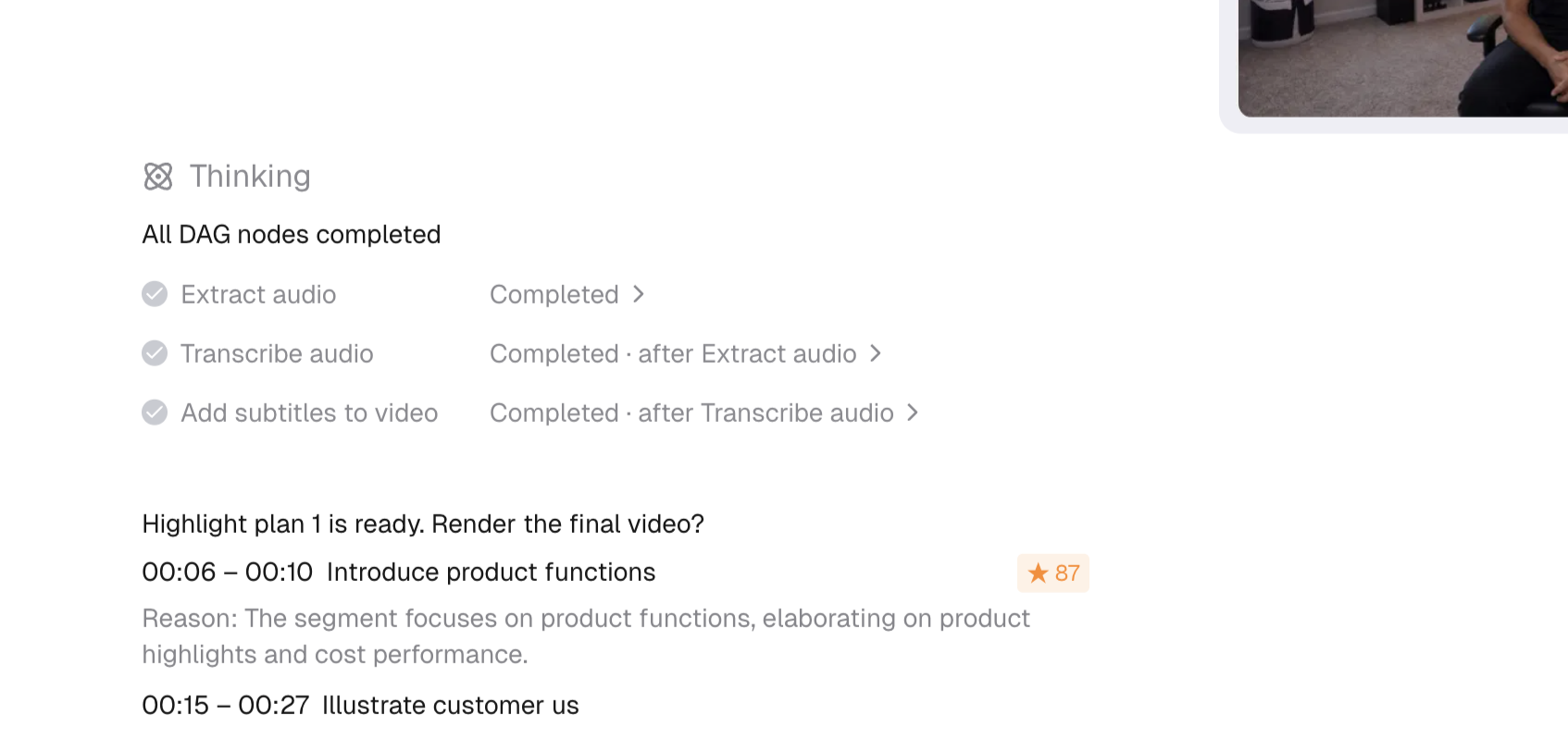
So we realized there was one thing we simply couldn't get around: analyzing the video itself. CinLink combines audio transcription with visual analysis to understand the people, topics, objects, and scenes in your footage. That search can extend from a single video to an entire local folder.
I care a lot about this direction. For creators, finding something worth using is a substantial part of the job. Often, we don't need more footage. We need a way to rediscover what we already have.
If the software can help me find the relevant material, I can get to the part that really needs my judgment sooner: how these shots should come together to tell a story.
I want AI to make a first cut, and I want to be able to change it
Whenever we talk about editing a video with a single sentence, I come back to one question:
What happens if I don't like the result?
If you've made videos, you'll probably recognize this. An edit is nearly there, but removing a pause has changed the emotion. A subtitle is technically correct, but doesn't sound like the person speaking. A cut is only slightly off, yet the rhythm feels wrong.
At that point, I need to be able to keep working on it.
That's why CinLink keeps the timeline.
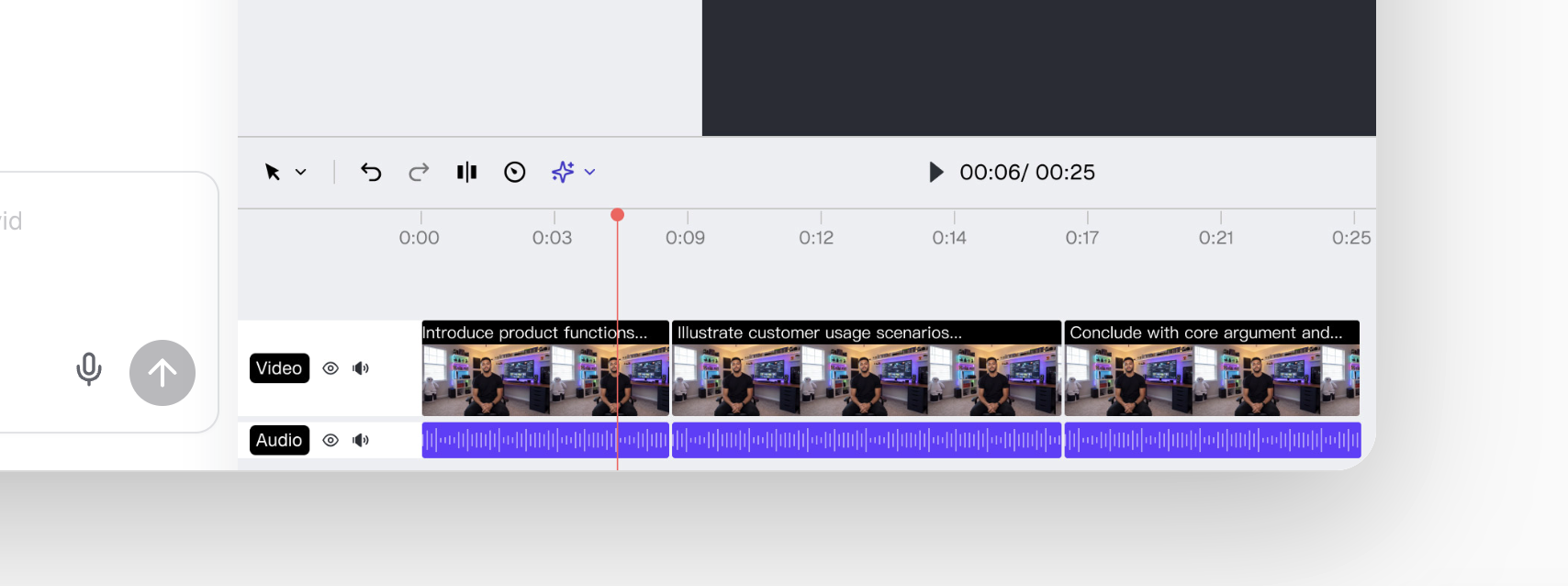
You can have AI find clips, put together a rough cut, and add subtitles, then return to the timeline to adjust edit points, visuals, and pacing. You can also keep requesting changes through conversation.
I want conversation to make it easier to get started, and I want experienced editors to be able to refine the result until they're happy with it.
A sentence can be the starting point. The final judgment should still belong to the creator.
So what can CinLink actually help you do today?
If you have a podcast episode, a lesson, an event recording, or a folder of footage waiting to be organized, there are a few practical places to start.
First, understand the content.
CinLink can transcribe speech, summarize a video's structure and key points, and provide timestamped references. I see that kind of summary as a way back into a long recording: find out where it's worth looking, then go back and listen to the full thought.
Next, find the parts you can use.
You can select moments from interviews or lessons and turn them into short videos, or search your footage by topic. What I care about here is whether a clip works on its own. A line can make sense in the original video and lose that meaning when cut out. Once you've chosen a clip, you still need to check that the context survives.
Then, make the content easier to watch and understand.
Generate subtitles, proofread them, adjust the styling, export an SRT file, or burn the subtitles into the video. If you need a version in another language, you can translate the subtitles and dialogue, generate a voice track in the target language, and then review terminology, timing, and sound.
If you're missing supporting visuals, you can also generate images and video clips from text or reference material to provide B-roll for the project.
Finally, there is the finishing work every video needs: enhancement, transcoding, aspect ratio adjustments, watermarks, and export.
Listed separately, these sound like a set of features. But when we're building CinLink, we pay more attention to how they connect.
Because the goal in a creator's head is usually something like “turn this interview into short clips I can publish.” Subtitles, cropping, translation, and export are steps along the way.
CinLink connects those steps by combining specialized capabilities, which we call Skills. We want you to be able to keep working with the same material toward the same goal.
Small interactions matter when you use something every day
Conversational software has a very practical problem: the input box is right there, but you may not know what to say.
So we added a / command menu, letting you browse and call the available operations directly.
Another problem is knowing what a request refers to.
When you say “make this shorter,” which video is “this”? If there are several files in the workspace and the target isn't clear, the next operation can easily go in the wrong direction.
That's why you can use @ to specify a file, clip, or folder.
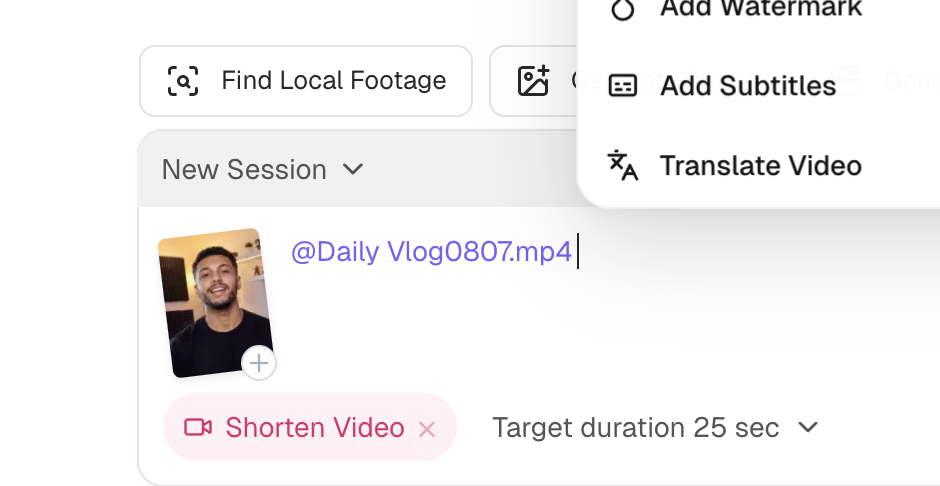
For example:
In @Interview Footage, find the discussion about product design. Select three clips that make sense on their own, each around 45 seconds long. Make them 9:16 vertical videos and add Chinese subtitles so I can review them before exporting.
That's one way to express a goal. You could also ask it to find the material first, confirm the selection before cutting, and deal with subtitles afterward.
I think a good conversational workflow should allow that kind of gradual progress. Many creative decisions only emerge once you've seen the footage and the first cut.
Why start with local footage?
Video files are often large, and they're usually already on your drive.
For a creator, that material might be an unreleased interview, footage supplied by a client, or simply a personal archive built up over years. Working around those files is a natural place to start.
So CinLink takes a local-first approach, keeping heavy media processing close to the files and device where practical, using the computing resources already available, and reducing unnecessary repeat uploads.
It's worth being precise here: some tasks use remote AI, depending on the capability and configuration. CinLink does not promise that all work can happen entirely offline.
We want users to have more control over processing, resource use, and privacy. That matters when you're making a tool part of your everyday work.
What do I hope CinLink gives creators more room for?
If you're just starting to make videos, I hope it lets you begin with a clear idea, without having to learn an entire editing application first.
If you've been making videos for years, I hope it helps with the preparation that comes around again and again, so you can find the material worth editing sooner and have more energy to edit it well.
Podcasters, education teams, small studios, and marketing teams work with different material for different audiences. But they share something: they are ultimately responsible for the content they put out.
That's why I don't think a result is good enough simply because AI produced it.
Does it represent the content accurately? Is the clip misleading? Are the subtitles faithful? Does the pacing serve what you want to communicate? Those questions still need to be answered by the person making the work.
We want to shorten the path to answering them.
Start with a video. You don't have to take on a whole project right away. Find a line, generate a set of subtitles, or make your first short clip.
Then see where you'd spend the time you save when the software understands a little more of what you mean.